
A dental website that works as hard as your front desk.
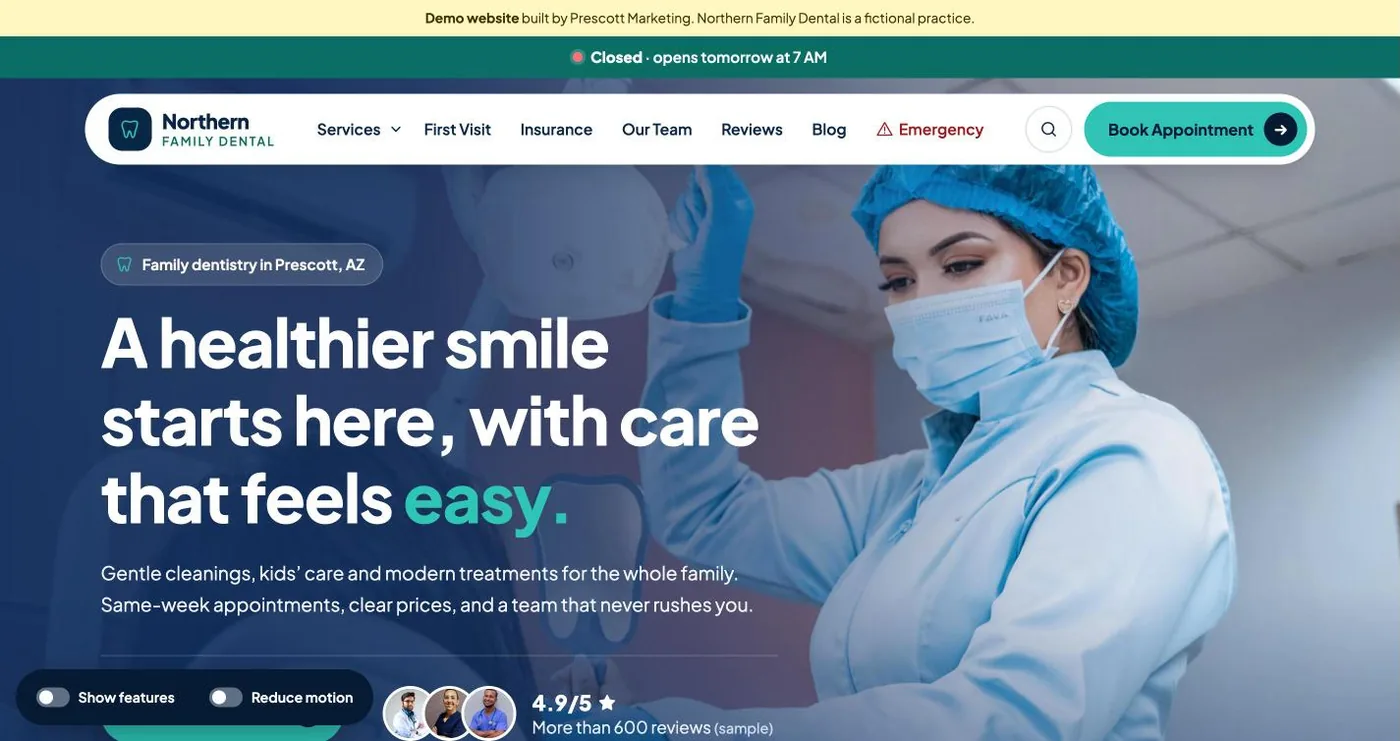
Northern Family Dental is a fictional Prescott practice we built from scratch to show dental and medical offices what their website could do. All 34 pages are live. Click around, try the insurance checker, and run the same tests we did.
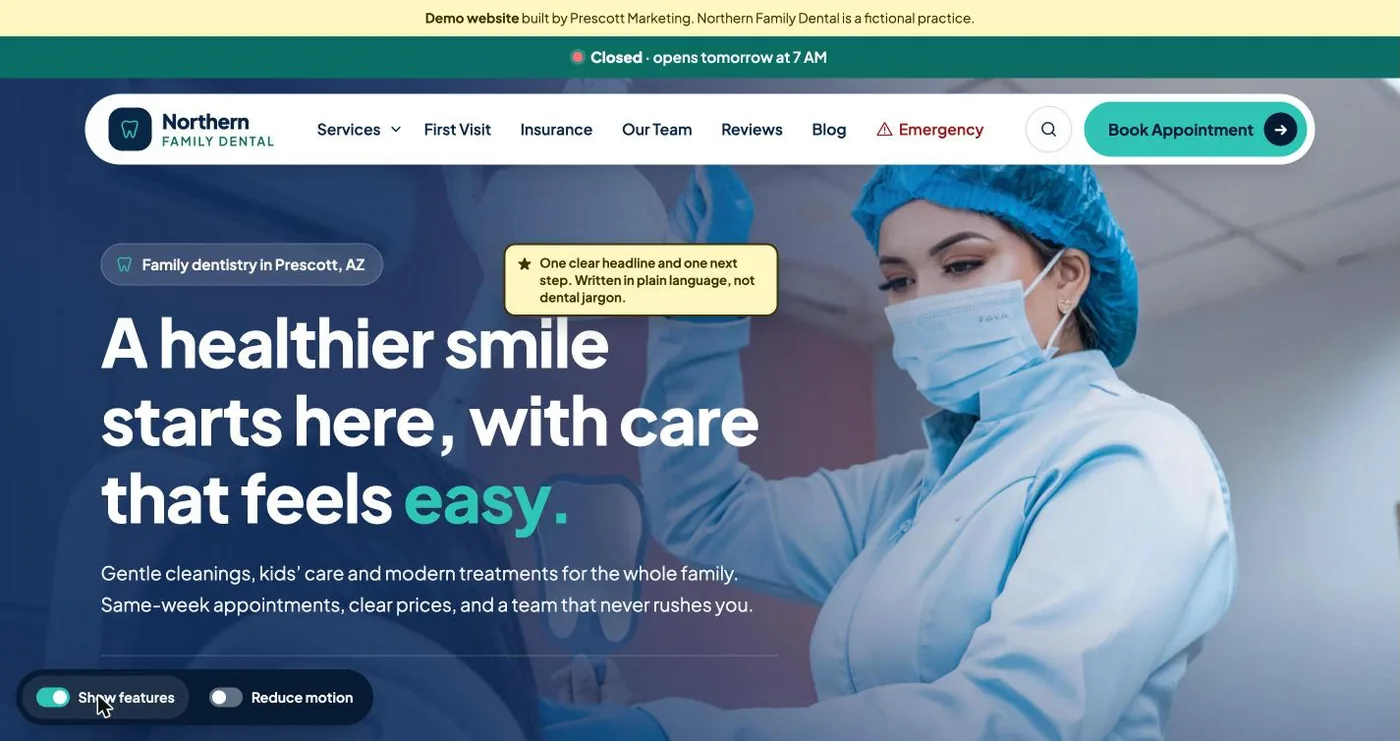
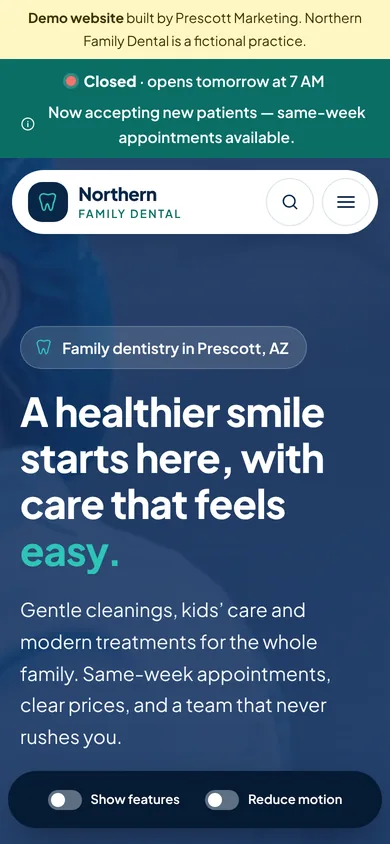
Tested November 17, 2026 with free public tools. See how we checked, or run them yourself.
Answers first. Phone calls second.
Most calls to a dental office are the same few questions. This site answers them on the page, so your front desk spends less time on the phone and more time with patients.
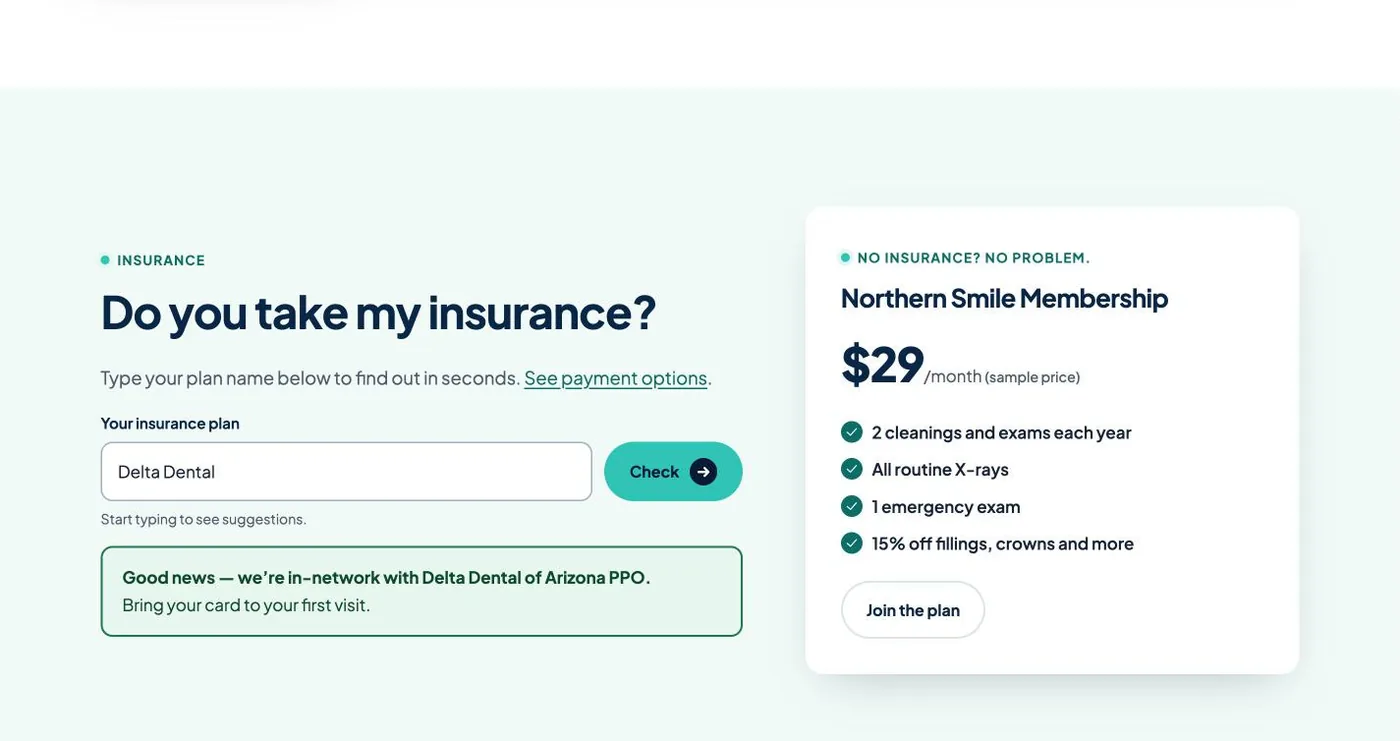
"Do you take my insurance?" Answered in seconds.
Patients type their plan and get an instant yes, no or "call us." Uninsured patients see the membership plan right next to it, so nobody leaves without an option.
The number one question new patients ask, handled before they pick up the phone.
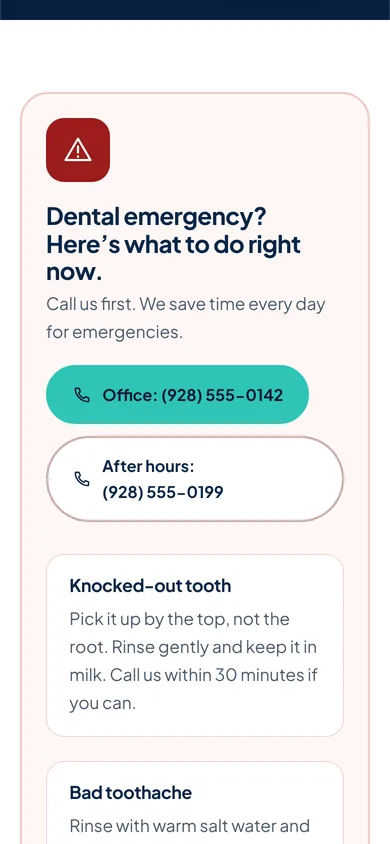
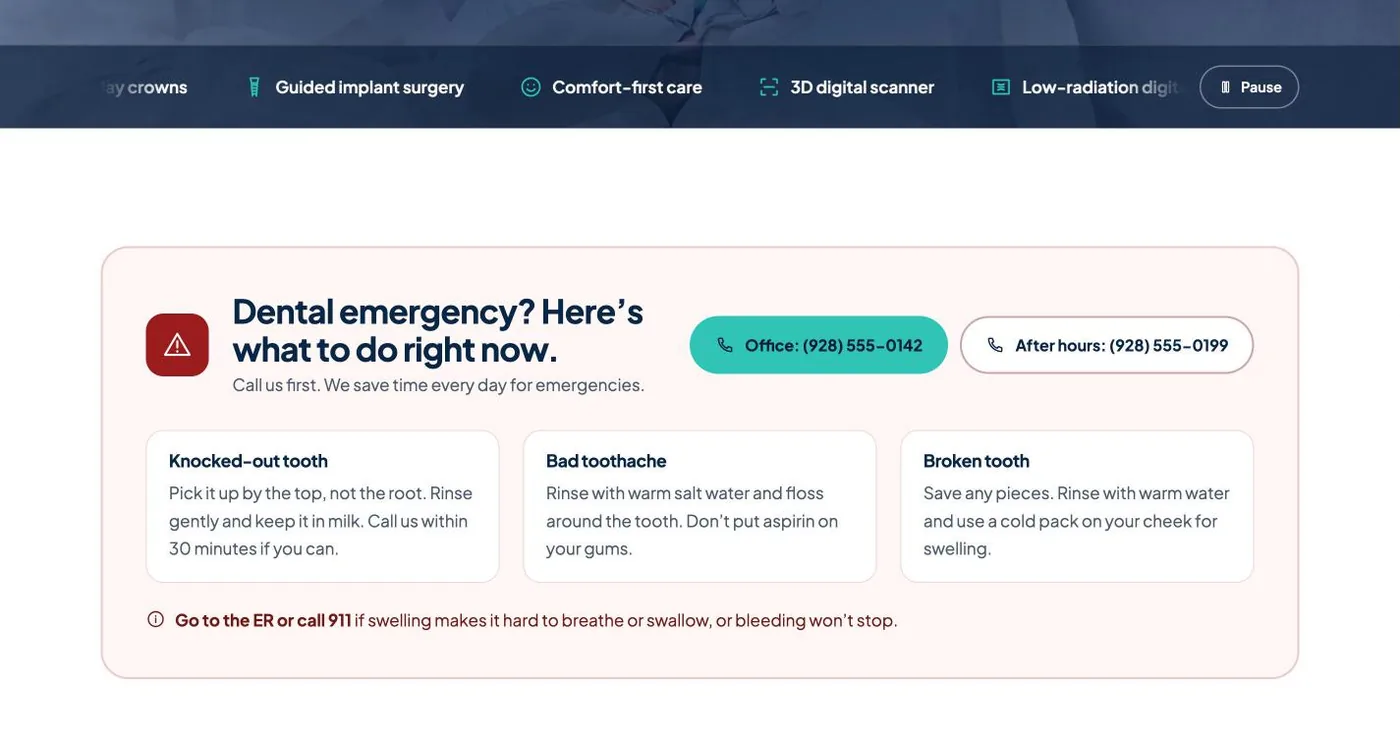
Help when it hurts, one tap away.
A knocked-out tooth at 9 PM is a scary moment. The emergency section gives clear first-aid steps, a one-tap office number, an after-hours line and a plain warning about when to go to the ER.
Big tap targets and no tiny text, because people in pain are on their phones.
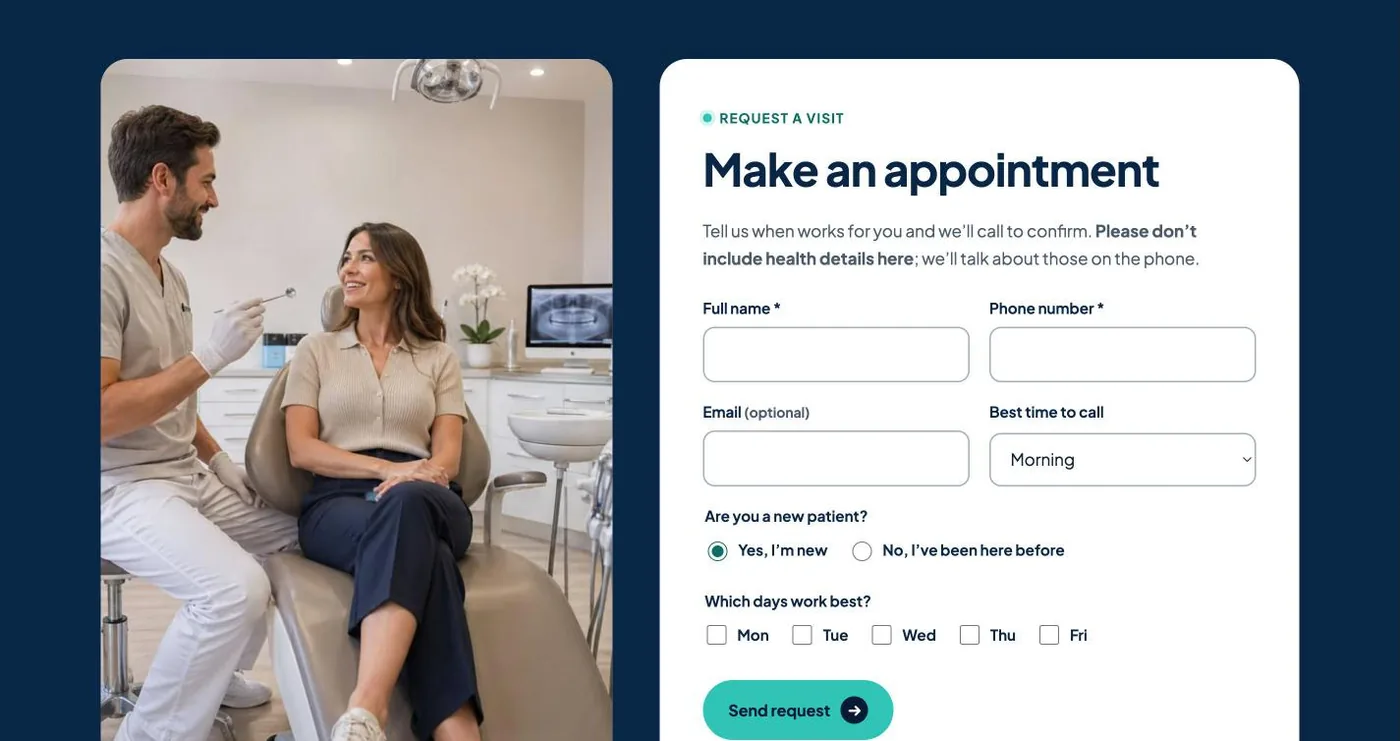
Booking that respects patient privacy.
A short request form asks for a name, a phone number and the best time to call. It asks patients not to type health details, because ordinary web forms aren't the place for them. It can also link straight into the scheduling system you already use.
Simple for patients, and safer for your practice.
The details that patients notice.
Every one of these is working on the demo right now.
Open or closed, right now
A bar at the top shows whether the office is open, plus holiday hours. Staff can post a banner like "Closed for snow" in seconds.
An in-house membership plan
A clear monthly plan for uninsured patients, so cost isn't the reason they don't call.
A real Spanish page
Key information written in Spanish by a person, not a translate button.
A printable new-patient form
Patients can print it at home and skip the clipboard in the waiting room.
A referral form for specialists
Other offices can send patients in a few clicks, which brings in new patients without ad spend.
Aftercare guides
Step-by-step care after extractions, fillings and more, so the phone rings less with the same questions.
Site search that understands patients
Type "toothache" or "AHCCCS" and get the right page instantly.
A careers page
Helps you hire hygienists and front desk staff without paying a job board every time.
The site explains itself.
We added a switch to the demo that most agencies never would: turn it on and short notes appear on each section, explaining why it's there and how it helps your practice.
- Open the live demo.
- Flip on "Show features" in the bottom corner.
- Scroll through and read the notes, then flip on "Reduce motion" to see the calm version.
The tech, in plain English.
You don't need to know how any of this works. You just need to know it was checked. Every score here comes from a free public test you can run yourself in under a minute.
Opens fast, even on a phone
Google's test pretends to be a mid-range phone on a slow mobile connection. The page starts showing in about one second. Slow sites lose patients before they ever see your phone number.
- 100 out of 100 on desktop
- No page builder or plugin bloat to slow it down
- Photos load only when you scroll to them, so the first screen shows up fast
How we checked
Google PageSpeed Insights on the live home page, November 17, 2026. Mobile: 98 performance, first content in 1.0 seconds, main content in 2.4 seconds, 0.008 layout shift. Desktop: 100. Speed scores move a few points between runs because the test runs on shared servers.
Every patient can use it
People who use screen readers, a keyboard instead of a mouse, or larger text can find your hours, check their insurance and request a visit. That's what the HHS Section 504 web rule asks of practices that take Medicare or Medicaid.
- Built to WCAG 2.2 AA
- Zero issues found on every page, with animations on and off
- A "Reduce motion" switch for people who get dizzy from movement
How we checked
Google Lighthouse (100) plus the axe accessibility engine on all 33 pages, run twice: once with motion effects on and once with them off, November 17, 2026. Zero issues found. We also test menus and forms with a keyboard only.
Locked down by default
The site tells browsers exactly what is allowed to run on it and blocks everything else. That helps block common attacks like injected code and fake overlays. There is no WordPress login, plugin or database for anyone to break into.
- Scored 125 out of 100 and passed 12 of 12 tests
- Always uses a secure (https) connection
- Forms ask patients not to send health details
How we checked
Mozilla HTTP Observatory scan of dentist.prescottmarketing.com, November 17, 2026: grade A+, score 125, 12 of 12 tests passed. It checks the browser security settings the server sends with every page.
Built right underneath
Clean code means the site works the same in every browser, loads reliably and is easy for the next developer to work on. Google and AI tools also read clean pages more accurately.
- Passes the official W3C HTML check on every page
- 100 on Google's Best Practices test
- No inline scripts, which is what makes the strict security possible
How we checked
The W3C Nu HTML Checker (the same checker behind validator.w3.org) on all 34 pages, November 17, 2026: zero errors. Google Lighthouse Best Practices: 100.
What we often see, and what we build.
Plenty of practice websites look fine. The difference is in what patients can actually do on them and what's holding them together.
| Topic | Typical practice site | This build |
|---|---|---|
| How it's built | A theme plus a stack of plugins | Hand-coded, with no plugins to update or break |
| "Do you take my insurance?" | Patients have to call and ask | Answered on the page in seconds |
| Accessibility | An overlay widget added on top | Built in from the start and tested on every page |
| Patient privacy | Health questions in a regular contact form | Forms ask patients to keep health details off the website |
| Spanish speakers | An automatic translate button | A Spanish page written by a person |
| Security | Depends on keeping plugins patched | A+ on Mozilla's security test, nothing to patch |
Northern Family Dental is fictional. Photos are stock, and names, reviews and prices are samples. It's hidden from Google on purpose so it never competes with a real practice, which is the only reason its Google SEO score shows lower if you test it. Your site would be built to rank.
Is Northern Family Dental a real practice?
No. It is a fictional practice we built so dental and medical offices can see and test a complete website before they hire us. The photos are stock and the names, reviews and prices are samples. The site is hidden from Google on purpose so it never competes with a real office.
Will my practice website score this well?
We build every site the same way, so you can expect the same kind of results. Your photos, your scheduling tools and any third-party widgets you want can move the speed score a few points, and we tell you up front when something will.
Can it connect to our scheduling software and patient forms?
Yes, if your system offers a booking link or an embed. We link or embed the scheduling and secure patient-form tools you already use, so health information stays in those secure systems instead of ordinary web forms.
Is this a template?
No. It is hand-coded. Your site would be designed around your practice, your team, your photos and the services you want more of.
How long does a site like this take?
Most custom practice websites take 3 to 6 weeks. The biggest factor is how quickly we get your photos, team bios and insurance list.